

How do you track each day?
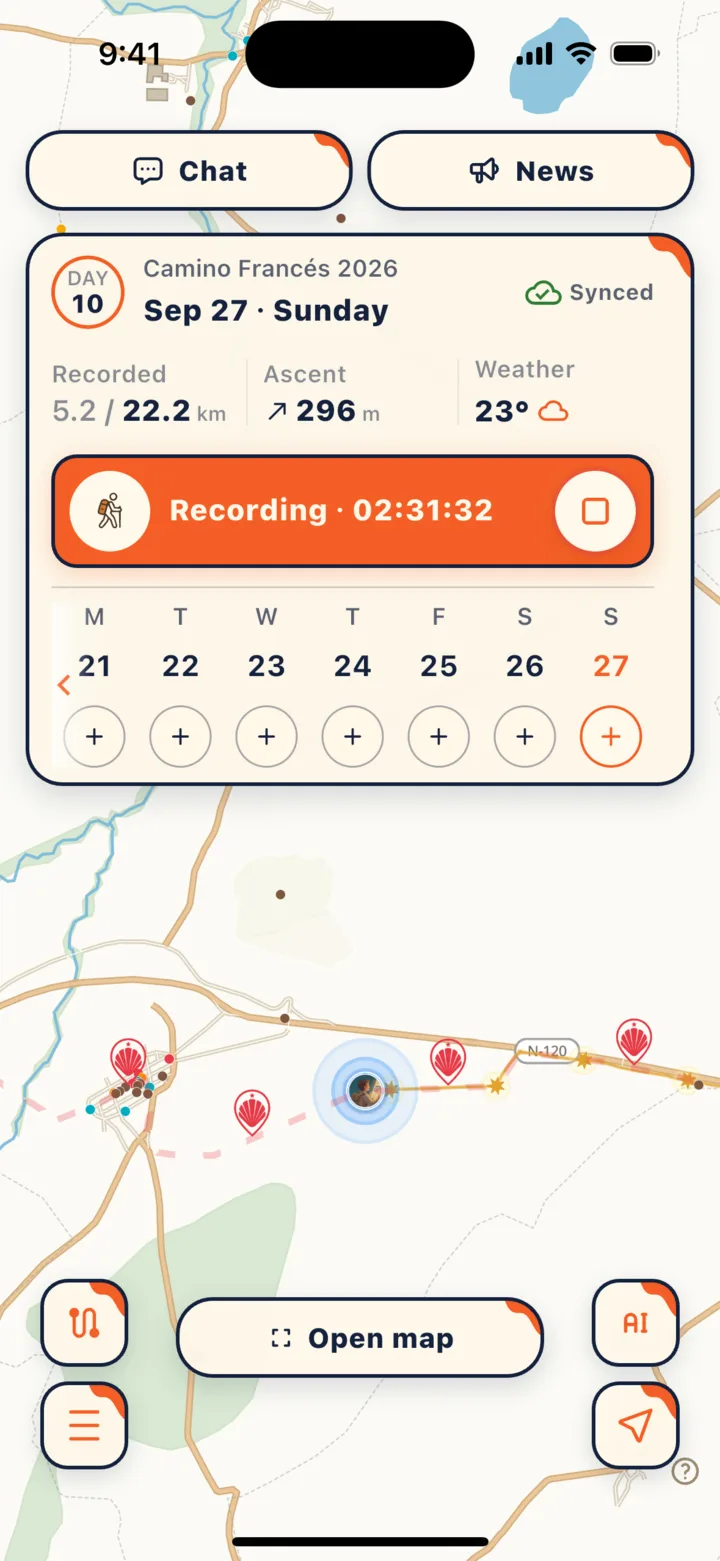
Start tracking when you set off, tap finish when you reach your lodging, and leave it alone in between.
- The daily card on the home screen is your home base each day: it shows where you’re walking from and to, the distance you’ve logged so far, elevation gain, and the weather.
- Once you start tracking, distance adds up automatically—no need to pause for rest stops or lunch breaks.
- When you reach your lodging, tap the finish button on the right side of the card to wrap up the day’s mileage and save battery.
Want to save battery or protect your privacy?
Switch “Recording mode” to “Distance only (no route tracking).” Open the trip menu in “Camino Itinerary” and select “Recording mode” to choose between two options:
- Full journey (GPX + km): Continuously records your route and kilometers, keeping walking, cycling, or transit segments in your journey track. Requires background location permission.
- Distance only (no route tracking): Estimates kilometers from your step count without saving a GPS track—easier on your battery and more private.
Changes take effect the next time you start tracking.
What is the Stamp Book?
It’s your personal digital keepsake, not an official credencial (pilgrim passport). A note at the top of the screen in the app also reminds you: “Digital keepsake only · Not an official pilgrim credential”.
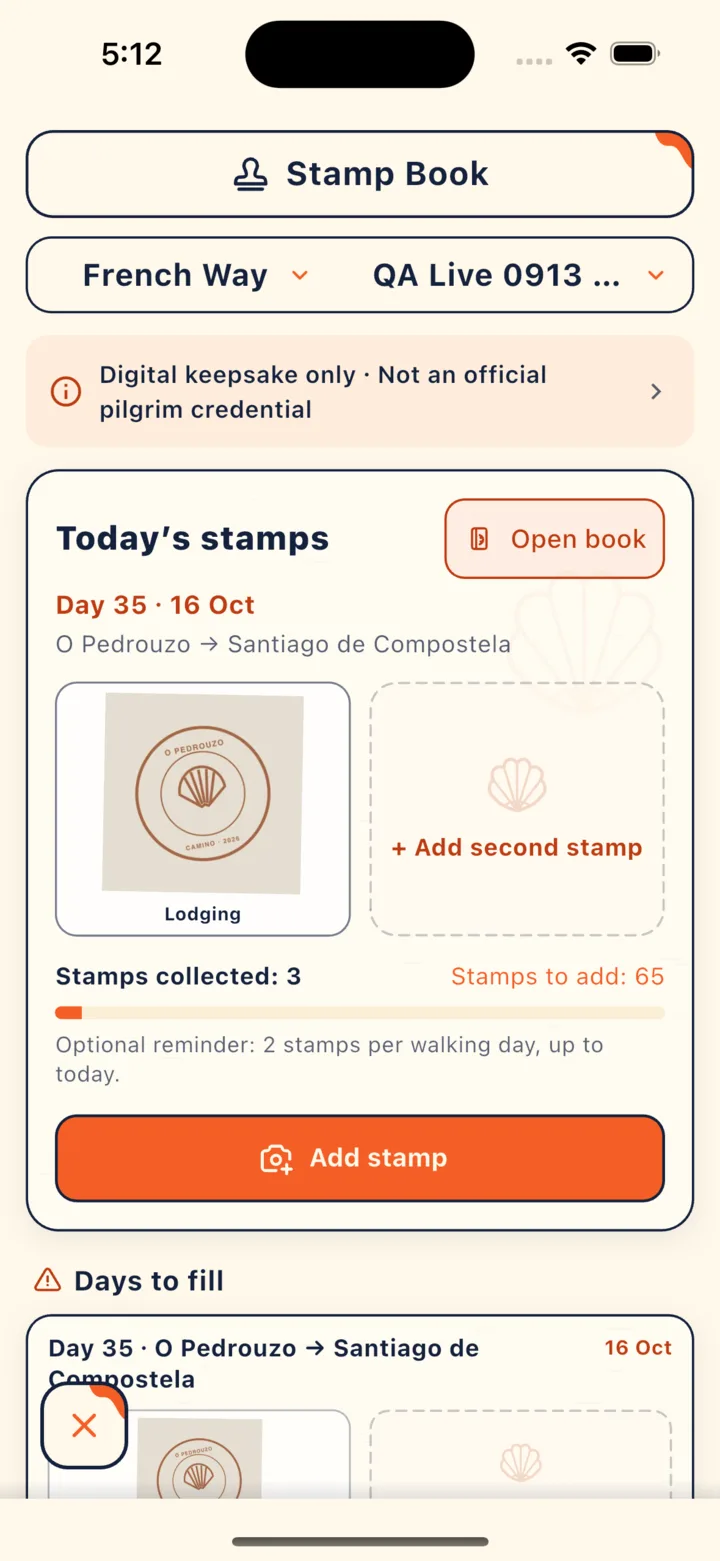
How it works:
- Snap a photo of a stamp in your paper credencial, or pick one from your photo library.
- Crop it to fit the stamp’s shape—choose a 1-slot, 2-slot vertical, 2-slot horizontal, or 4-slot size.
- Add the location (you can pick it from the map) and the date.
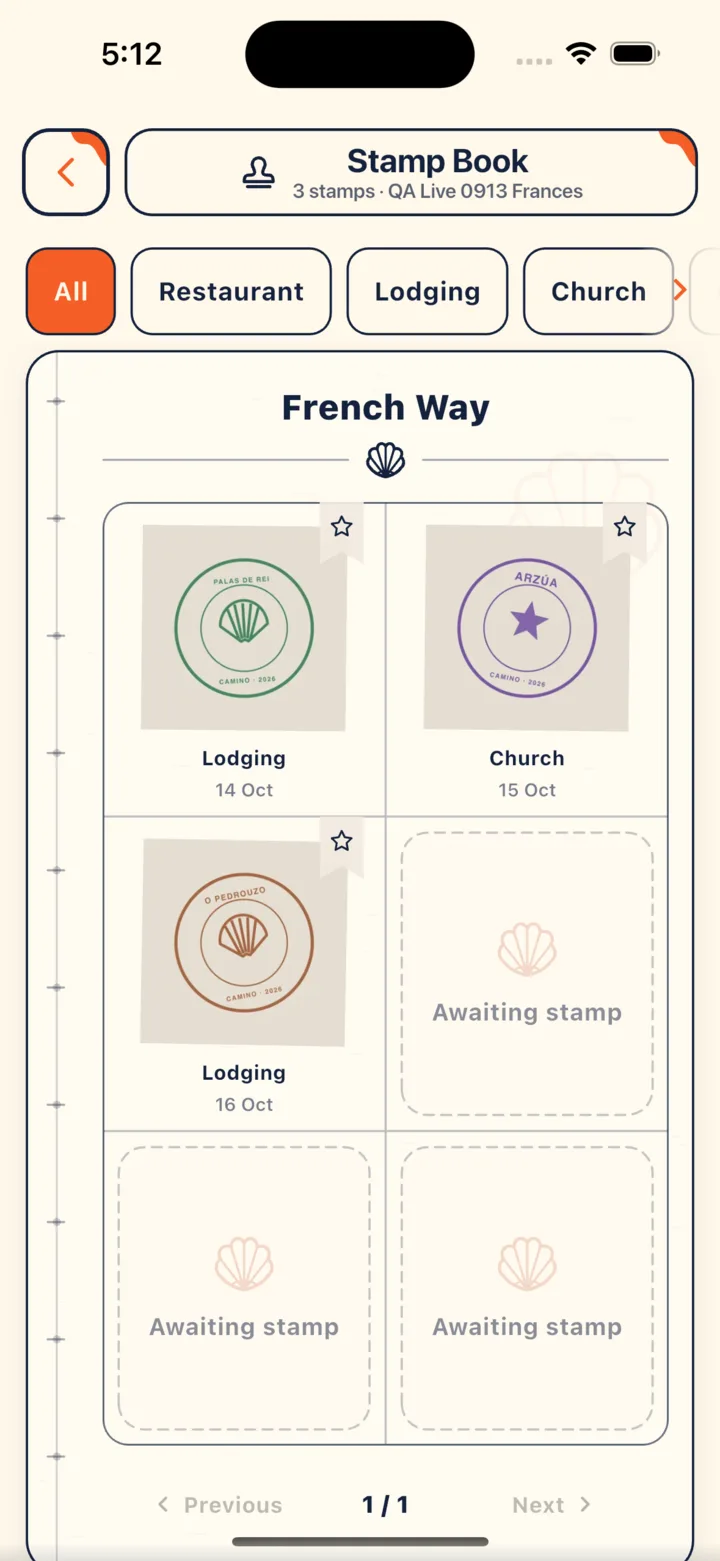
- Flip through your Stamp Book to see all your stamps arranged in order of your journey, or filter them by restaurant, lodging, or church.
What is “Days to fill”?
A reminder of which days still need stamp photos. The app counts your walking days up to today at 2 stamps per day. It’s purely an optional keepsake reminder and has nothing to do with Compostela requirements.
What happens when you finish your Camino?
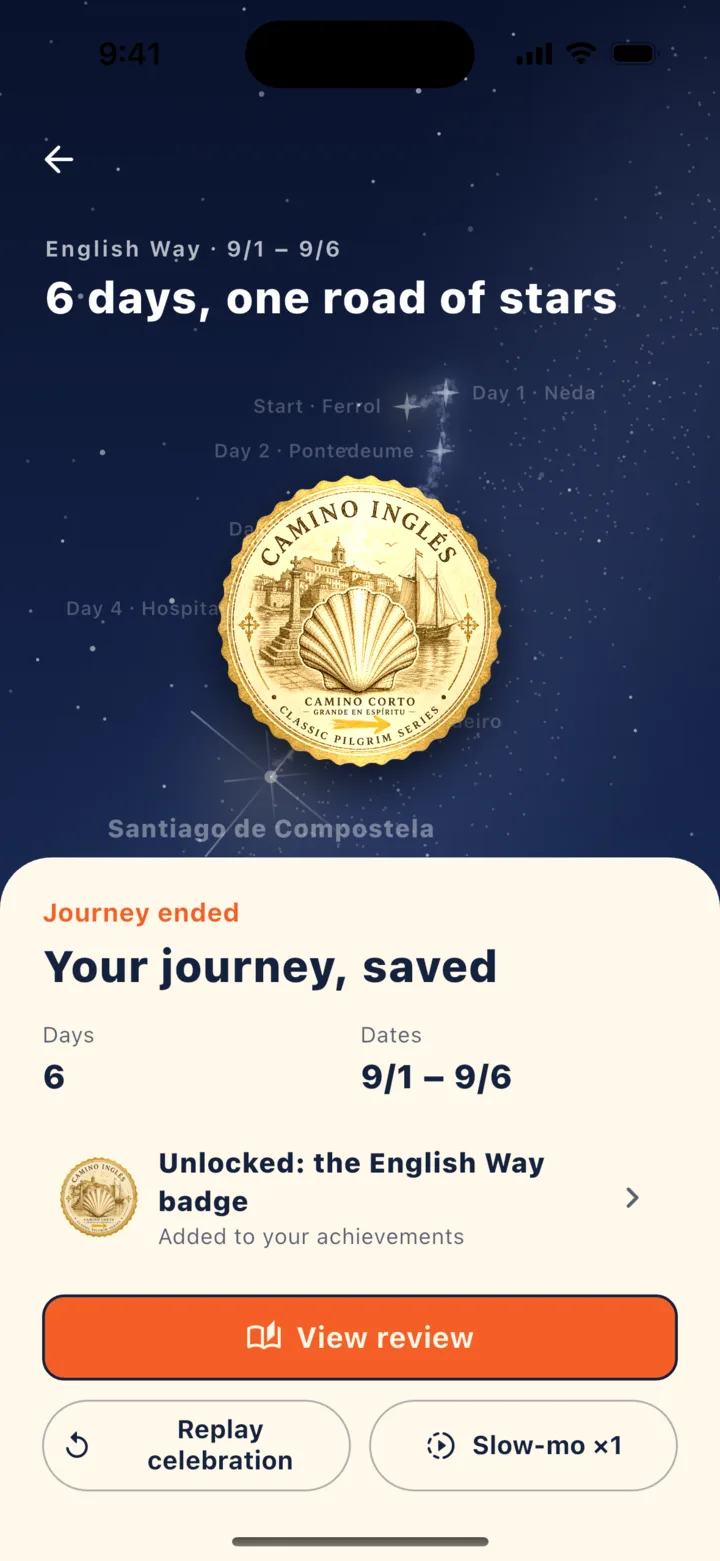
You get a “star-road celebration” and a full replay of your journey.
- Reaching the finish triggers a star-road celebration, which you can replay anytime later.
- In the recap, you can play back your entire route, drag the timeline to jump to any day, and switch between 1×, 2×, and 4× speeds.
- Completing a route unlocks the badge for that route.
Key points
- Start tracking when you set off and tap finish at your lodging; it works offline too.
- Switch to “Distance only (no route tracking)” to save battery.
- The Stamp Book is a keepsake—you need your paper credencial to claim the Compostela.
In CaminoGO
For the rules on the paper credencial, see Your credencial (pilgrim passport): where to get it and how stamps work and The Compostela and other certificates: requirements and where to get them.
Sources
- Oficina del Peregrino:The Credencial (checked 2026-10-16)
- CaminoGO 客服支援(使用上的問題) (checked 2026-10-16)
Walk it with CaminoGO
Offline maps, a plan that fits your pace, changes on the way, and a daily walk log with passport stamps — all in the app.
Get the app