

What is a CaminoGO itinerary?
A day-by-day list of where you'll stay. From your starting point to the finish, it maps out which town you walk to each day, where you sleep, and which days you rest.
How do you create an itinerary?
Pick a route, choose your pace, and generate a draft—done in three steps.
- On the home screen, tap “Create Pilgrimage” and select your route, starting point, and finish.
- Choose Your pace to set roughly how far you want to walk each day. You can fine-tune individual days later.
- Tap Generate draft itinerary, and the app will lay out your overnight towns for each day.
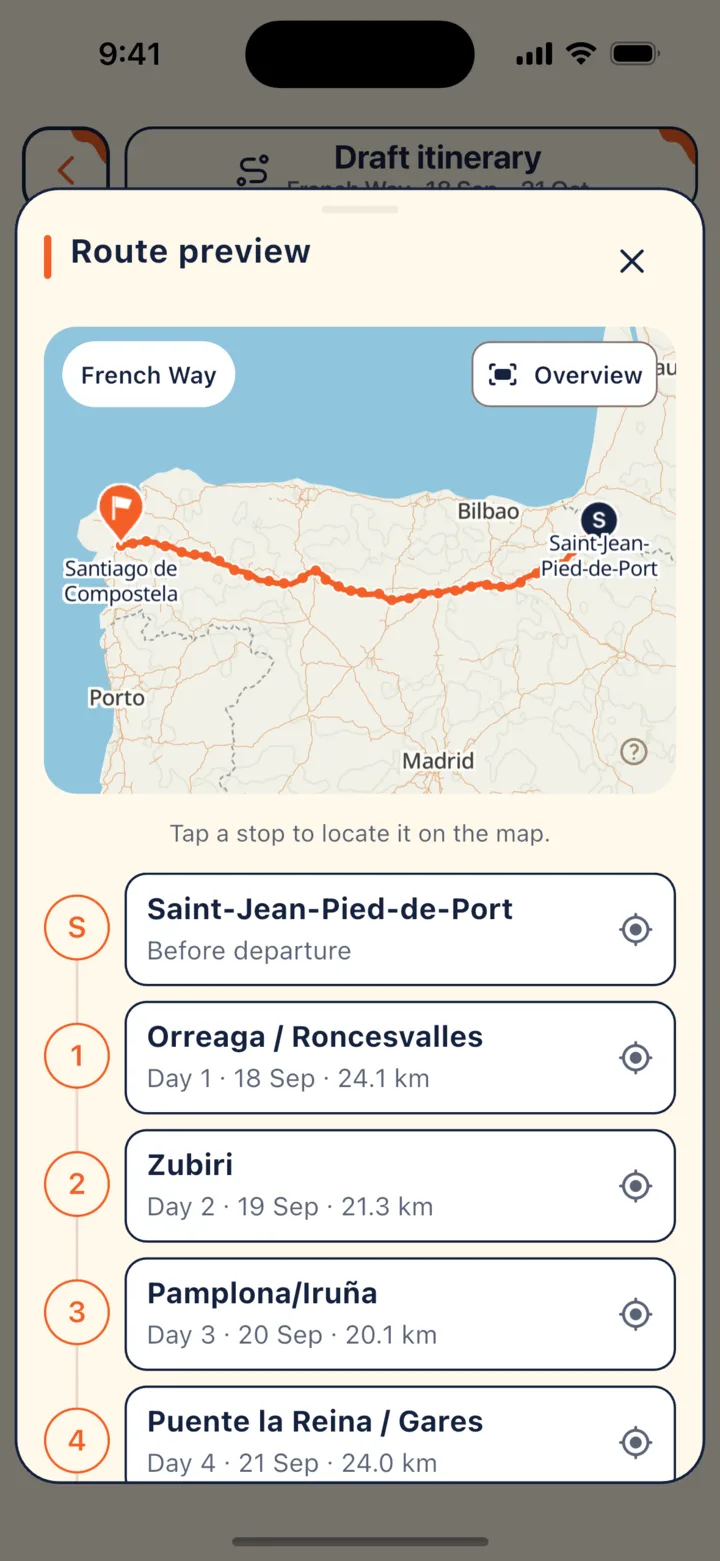
Before generating your draft, you can check the route preview map to see the full trail and every stop along the way.
How can you customize the draft?
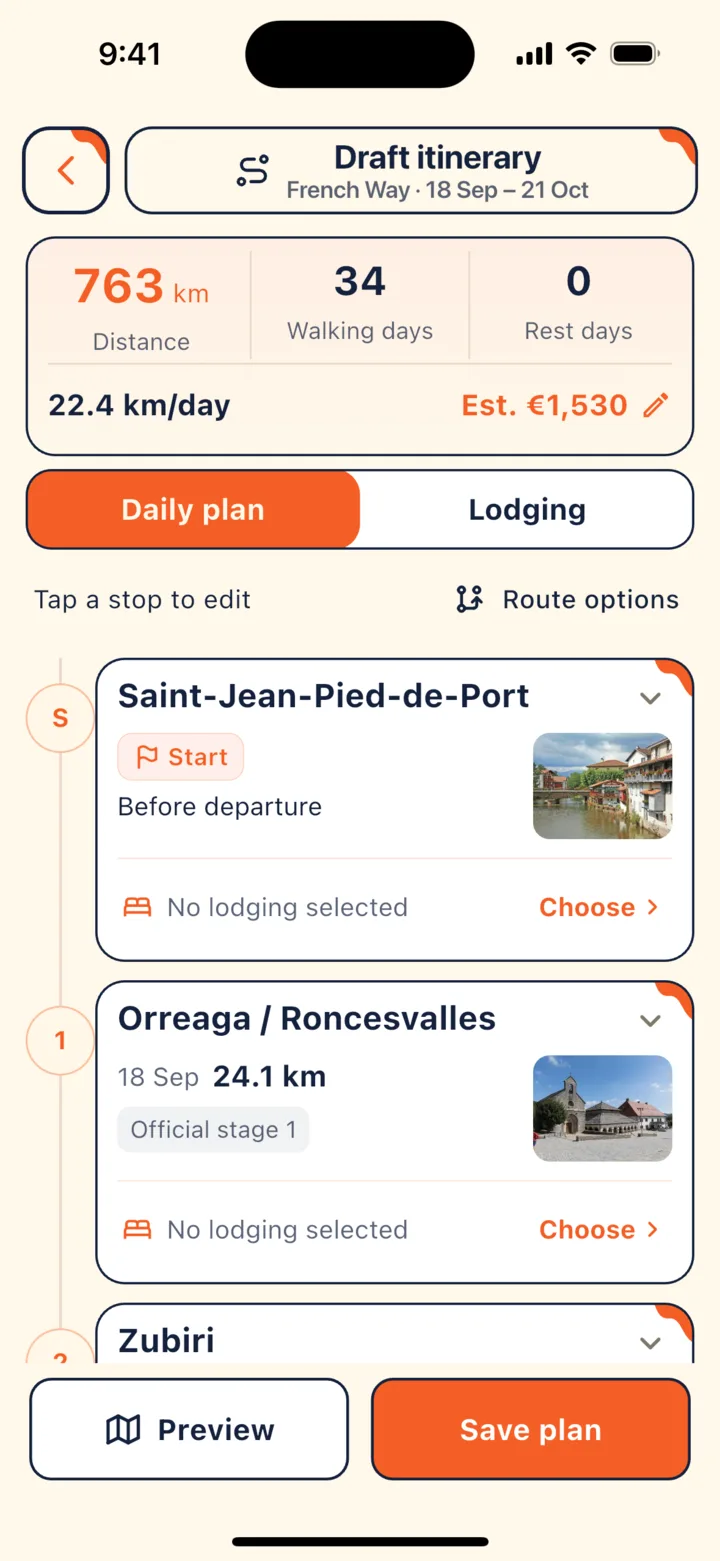
You can edit every single day: where you stop, where you stay, and when you rest.
- Tap any day: Swap the overnight town, add a rest day, or view the route for that stage.
- Choose lodging: Pick a place to stay for each stop right away, or browse them all at once later in the “Lodging” tab.
- Route variants: Some sections offer two ways forward—for example, on the Camino Francés from Triacastela to Sarria, you can go via the Samos monastery or via San Xil. Tap “Switch branch” at the stop, and the rest of your schedule will recalculate automatically.
- Preview and save: Tap “Preview” to review your full route, then tap “Create trip” when everything looks good.
Need to change plans after setting off?
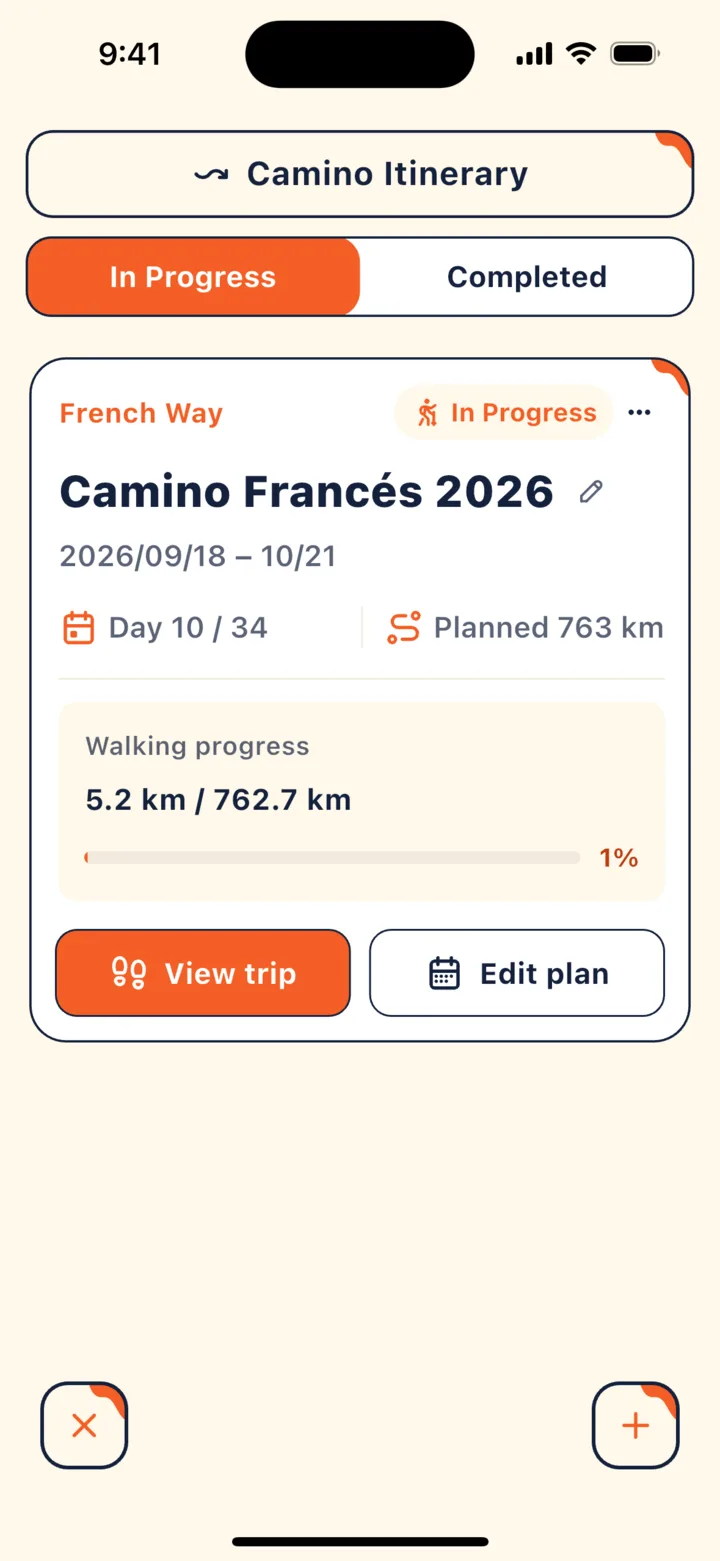
That's completely normal—maybe your feet hurt, the weather turns, or you find a town you want to linger in for an extra day. Just tap “Edit plan” on your trip card in “Camino Itinerary”.
- While recording a walk: You'll need to finish today's recording before applying any changes. The progress you've already walked will be saved, though recording won't restart automatically afterward.
- Stopping in a different town today: Use “Reselect today's stop”.
- Completed trips: Your records are kept safe and can no longer be edited or deleted.
Heading home, or taking a longer break?
Pause your trip now and pick it back up later. Select “Pause Trip” from the trip menu to stop recording; when you're ready to return, tap “Resume trip” from the home screen, or schedule in advance which date and town you'll restart from.
Can I share my itinerary with family?
Yes. Tap “Share trip” in the trip menu to create a link so family and friends can see your planned stages. Shared links never include your personal walk logs, notes, or booking details.
Key points
- Pick your route and pace, then tap “Generate draft itinerary” to get your daily overnight towns.
- You can change towns, add rest days, and choose lodging for any day.
- Once on the trail, finish today's recording before editing your plan—or tap “Pause Trip” if you need to head home.
In CaminoGO
For tips on breaking up your walk, see How many kilometers a day? How to plan your stages; and before you set off, don't forget to check Offline maps: Finding your way without cell service.
Sources
- CaminoGO 客服支援(使用上的問題) (checked 2026-10-16)
Walk it with CaminoGO
Offline maps, a plan that fits your pace, changes on the way, and a daily walk log with passport stamps — all in the app.
Get the app